



HIKVISION DS-D5B65RB/FP DS-D5B75RB/FP DS-D5B86RB/FP Interactive Display Singapore 4K Interactive Flat Panel Classroom Whiteboard
in stock
$2980.00
HIKVISION SINGAPORE OFFICIAL PLANTINUM PARTNER
Supply and Maintenance HIKVISION CCTV IP Cameras, NVR, Turbo HD TVI Cameras, DVR, PTZ Cameras,
Access Control System, Video Intercom.
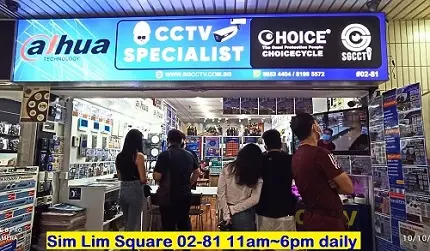
Sim Lim Square 02-81 10am-7pm Daily.
Whatsapp Enquiry Project +65 98534404, Technical Support +65 81120788, Site Visit Maintenance +65 81985572.
in stock
HIKVISION DS-D5B65RB/FP DS-D5B75RB/FP DS-D5B86RB/FP Interactive Display Singapore 4K Interactive Flat Panel Classroom Whiteboard
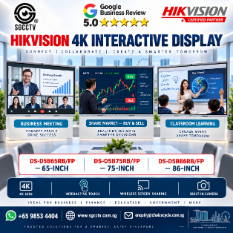
HIKVISION 4K Interactive Display Singapore
65″ | 75″ | 86″ — Meeting • Trading • Learning • Presentation • Collaboration
Transform an ordinary meeting room, classroom or command centre into a modern interactive digital workspace with the HIKVISION WonderHub 4K Interactive Display series.
Available models:
HIKVISION DS-D5B65RB/FP — 65-inch
HIKVISION DS-D5B75RB/FP — 75-inch
HIKVISION DS-D5B86RB/FP — 86-inch
The platform combines a 4K UHD display, multi-touch interactive whiteboard, integrated camera, microphone array, speakers, Android platform and extensive PC/network connectivity in one large-format professional display. Hikvision’s current 65-inch specification lists 3840 × 2160 resolution, up to 50-point touch, Android 16, 8GB RAM, 128GB storage, Wi-Fi 6 and optional Windows OPS support. (Hikvision)
One Screen — Many Business & Education Applications
Instead of using a conventional television only for presentations, an interactive display allows users to present, write, annotate, discuss and collaborate directly on the screen.
Laptop / PC / Network
→ HIKVISION Interactive Display
→ View + Touch + Write + Present + Collaborate
The current model also incorporates a camera capable of up to 4K video, an eight-microphone array with a stated 12m voice-pickup distance, and built-in 2 × 20W + 25W speakers. This makes the hardware particularly suitable for collaborative spaces. (Hikvision)
Key Features
| Feature | HIKVISION Interactive Display |
|---|---|
| Sizes | 65″ / 75″ / 86″ |
| Resolution | 4K UHD 3840 × 2160 |
| Refresh Rate | 60Hz |
| Touch | Up to 50-point multi-touch |
| Touch Response | ≤2ms |
| Surface | Anti-glare glass |
| Built-in Platform | Android |
| Memory* | 8GB |
| Storage* | 128GB |
| Camera* | 48MP photo / up to 4K video |
| Microphones* | 8-array microphone system |
| Voice Pickup* | Up to 12m |
| Speakers* | 2 × 20W + 25W |
| Network* | Gigabit LAN + Wi-Fi 6 |
| Bluetooth* | Bluetooth 5.4 |
| USB-C* | Display/data + up to 65W charging |
| Windows | Optional OPS configuration |
*Current official 65-inch RB/FP specification; confirm the exact regional 75″/86″ configuration when ordering. Hikvision specifically recommends running video-conferencing software on the Windows system when the optional OPS configuration is used. (Hikvision)
10 Ideal Applications / Places
- Zoom / Microsoft Teams Business Meetings — Present documents, discuss projects and collaborate on a large interactive screen. With the appropriate Windows/OPS or external PC configuration, it becomes an effective conference-room platform.
- Share Market Trading & Analysis — Display multiple market charts, technical indicators, financial news and trading research on a large 4K workspace. Users can annotate charts during investment education or strategy discussions. It should be positioned as a display/analysis tool, not as a source of investment advice.
- Classroom Student Learning — Teachers can write, annotate, display multimedia content and encourage students to interact directly with the lesson.
- Corporate Boardrooms & Meeting Rooms — Ideal for management meetings, KPI presentations, budgeting, sales reports, strategy planning and collaborative decision-making.
- Training & Seminar Rooms — Trainers can display manuals, technical drawings, videos and presentations while annotating important points directly on screen.
- Tuition & Enrichment Centres — Suitable for mathematics, languages, science, coding and multimedia teaching where students benefit from a large interactive workspace.
- CCTV Command & Control Rooms — Useful as a large collaborative display for presenting CCTV layouts, incident information, maps and operational dashboards. For continuous 24/7 video-wall duty, however, a purpose-designed commercial display/video wall should be evaluated instead; the current 65-inch specification lists a 7 × 16-hour working duration. (Hikvision)
- Engineering & Project Meetings — Display floor plans, CCTV layouts, network topology, electrical diagrams, AutoCAD exports, schematics and project documentation for team discussion.
- Showrooms & Sales Galleries — Present products, videos, brochures, building plans and interactive sales presentations to customers on a premium large-format screen.
- Hotels, Conference Centres & Function Rooms — Suitable for presentations, seminars, workshops, training sessions and corporate functions.
Excellent for Zoom & Teams Meetings
A modern meeting room can be configured as:
HIKVISION 4K Interactive Display
↕
Built-in Camera + Microphone Array + Speakers
↕
Windows OPS / Meeting PC
↕
Zoom / Microsoft Teams
The integrated camera has a wide field of view, while Hikvision specifies echo reduction and intelligent noise cancellation for the microphone system. (Hikvision)
This can reduce the number of separate AV devices required around a meeting table.
Excellent for Share Market Analysis
A 65″, 75″ or 86″ screen provides substantially more visual workspace than an ordinary desktop monitor.
Typical usage:
Market Overview → Individual Stocks → Candlestick Charts → Indicators → News → Strategy Discussion
During an investment-training session, users can display and annotate:
Price Charts • Moving Averages • Volume • Support/Resistance • Watchlists • Financial News • Portfolio Analysis
This makes the display especially attractive for investment education, trading classrooms and collaborative market-analysis rooms.
Excellent for Classroom Learning
The interactive panel can replace the traditional combination of:
Whiteboard + Projector + Projection Screen + Speakers
with a more integrated digital teaching platform.
Hikvision specifies up to 50-point infrared multi-touch, ≤2ms touch response and ±0.5mm touch precision for the current 65-inch model. (Hikvision)
Teachers can therefore:
Write → Draw → Highlight → Annotate → Present → Discuss
while students can participate directly at the display.
65″ vs 75″ vs 86″ — Which Size?
65-inch — Best for smaller meeting rooms, offices, tuition rooms and smaller classrooms.
75-inch — A strong general-purpose size for medium meeting rooms, classrooms and training facilities.
86-inch — Best for larger boardrooms, classrooms, training rooms and conference environments where viewers sit farther from the screen.
Screen size should ultimately be selected according to room dimensions, viewing distance, seating arrangement and mounting position, rather than simply choosing the largest panel.
USB-C — One Cable Convenience
The current RB/FP specification includes USB-C connectivity supporting display input, data functionality and up to 65W charging. (Hikvision)
A compatible laptop can therefore support a much cleaner presentation workflow:
Laptop
↓ USB-C
HIKVISION Interactive Display
↓
4K Presentation + Touch/Data + Laptop Charging
Actual functionality depends on the USB-C capabilities of the connected computer.
10 Major Benefits
1. 4K UHD clarity — Detailed text, spreadsheets, diagrams and presentations.
2. Up to 50-point touch — Supports interactive group collaboration.
3. Ultra-fast touch response — Designed for a natural writing experience.
4. Integrated camera — Supports modern video-conferencing applications.
5. Eight-microphone array — Designed for meeting-room voice pickup.
6. Powerful integrated speakers — Reduces dependence on basic external speakers.
7. Wi-Fi 6 + Gigabit LAN — Flexible modern network connectivity.
8. USB-C connectivity — Simplifies laptop presentations and charging.
9. Optional Windows OPS — Enables a more PC-like all-in-one workspace.
10. Multiple screen sizes — 65″, 75″ and 86″ options for different rooms.
10 FAQ
1. What is a HIKVISION Interactive Display?
It is a professional large-format touchscreen combining a 4K display with interactive writing, presentation and collaboration capabilities.
2. What sizes are available in this range?
The requested range consists of 65-inch DS-D5B65RB/FP, 75-inch DS-D5B75RB/FP and 86-inch DS-D5B86RB/FP.
3. Is it a 4K display?
Yes. The current 65-inch model is specified at 3840 × 2160 UHD resolution at 60Hz. (Hikvision)
4. Can it be used for Zoom or Microsoft Teams?
Yes, with the appropriate software environment. Hikvision specifically notes that video-conference software is recommended to run on the Windows system when using the optional OPS configuration. (Hikvision)
5. Does it have a built-in camera?
Yes. The current 65-inch RB/FP specification lists 48MP for photos and up to 4K camera video. (Hikvision)
6. Does it have a microphone and speakers?
Yes. Hikvision specifies an eight-microphone array and built-in 2 × 20W + 25W speakers on the current 65-inch model. (Hikvision)
7. Can teachers write directly on the screen?
Yes. The interactive display supports up to 50 simultaneous touch points, making it suitable for digital whiteboarding and classroom interaction. (Hikvision)
8. Can it display share-market charts?
Yes. It can display charts, browser-based financial information and trading applications from a compatible PC/OPS system. It functions as the interactive display platform; it does not itself provide financial-market data or trading advice.
9. Does it support wireless networking?
The current 65-inch model supports dual-band 2.4/5GHz Wi-Fi 6 and also provides two Gigabit LAN interfaces. (Hikvision)
10. Which size should I choose?
Choose 65″ for smaller rooms, 75″ for medium rooms and 86″ for larger classrooms/boardrooms, subject to actual viewing distance and room layout.
SEO Keywords
HIKVISION Interactive Display Singapore, HIKVISION 4K Interactive Display, HIKVISION Interactive Flat Panel, DS-D5B65RB/FP Singapore, DS-D5B75RB/FP Singapore, DS-D5B86RB/FP Singapore, 65 Inch Interactive Display Singapore, 75 Inch Interactive Display Singapore, 86 Inch Interactive Display Singapore, Interactive Whiteboard Singapore, Smart Board Singapore, Zoom Meeting Display Singapore, Classroom Interactive Display, Boardroom Interactive Display, 4K Touchscreen Singapore
15 Facebook Hashtags
#HIKVISION #HikvisionSingapore #InteractiveDisplay #InteractiveFlatPanel #4KDisplay #SmartBoard #InteractiveWhiteboard #ZoomMeeting #MicrosoftTeams #BusinessMeeting #ShareMarket #SmartClassroom #DigitalLearning #SGCCTV #ChoicecycleCCTV
HIKVISION DS-D5B65RB/FP DS-D5B75RB/FP DS-D5B86RB/FP Interactive Display Singapore 4K Interactive Flat Panel Classroom Whiteboard
The HIKVISION DS-2DE2A404IW-DE3/W(S6) is a compact professional 4MP 4× optical zoom Outdoor IR Wi-Fi Mini Dome PTZ Network Camera designed for homes, offices, factories, retail premises, warehouses and commercial security applications.
It combines 4MP 2K resolution, powered-by-DarkFighter low-light technology, 4× optical zoom, pan-and-tilt control, 20m IR night vision, 120dB WDR, 2.4GHz Wi-Fi, built-in microphone, microSD recording, PoE and IP66/IK10 protection. (Hikvision)
Key Specifications
| Feature | Specification |
|---|---|
| Model | DS-2DE2A404IW-DE3/W(S6) |
| Camera Type | Mini Dome PTZ Network Wi-Fi Camera |
| Resolution | 4MP / 2560 × 1440 |
| Sensor | 1/2.8″ Progressive Scan CMOS |
| Low-Light Technology | powered-by-DarkFighter |
| Minimum Illumination | 0.005 Lux Colour / 0.001 Lux B&W |
| Lens | 2.8–12mm Motorized Varifocal |
| Optical Zoom | 4× |
| Digital Zoom | 16× |
| Pan | 0°–355° |
| Tilt | 0°–90° |
| Presets | 300 |
| IR Night Vision | Up to 20m |
| WDR | 120dB True WDR |
| Wi-Fi | 2.4GHz 802.11b/g/n |
| Wired Network | RJ45 10/100Mbps |
| Audio | Built-in Microphone |
| Local Storage | microSD up to 256GB |
| Compression | H.265+ / H.265 / H.264+ / H.264 |
| Protection | IP66 + IK10 |
| Power | 12VDC / PoE 802.3af |
| Software | Hik-Connect / iVMS-4200 / HikCentral Pro |
Hikvision’s official documentation confirms these specifications. (Hikvision)
4MP 2K High-Resolution CCTV
The camera delivers up to:
2560 × 1440 — 4 Megapixels
at up to 25fps on 50Hz systems or 30fps on 60Hz systems. (Hikvision)
Compared with standard 2MP 1080P surveillance, 4MP provides additional image detail for monitoring entrances, corridors, offices, retail environments, factories and other security areas.
4× Optical Zoom
A major advantage over a conventional fixed dome camera is the:
2.8–12mm Motorized Lens + 4× Optical Zoom
The camera provides approximately 96.7° to 31.6° horizontal field of view. (Hikvision)
This means the operator can use:
Wide View → Monitor Overall Area
and then:
4× Optical Zoom → Examine a Specific Target
Unlike digital zoom, optical zoom physically changes the lens focal length, allowing a closer view without merely enlarging existing pixels.
Pan & Tilt PTZ Control
The DS-2DE2A404IW-DE3/W provides:
Pan: 0°–355°
Tilt: 0°–90°
with configurable PT movement speeds up to 100° per second and support for 300 presets. (Hikvision)
This makes one compact camera capable of monitoring several predetermined areas.
For example:
Preset 1 → Entrance
Preset 2 → Loading Area
Preset 3 → Corridor
Preset 4 → Car Park
An operator can quickly move between programmed viewpoints.
DarkFighter Low-Light Technology
One of this camera’s most important capabilities is Hikvision’s:
powered-by-DarkFighter Technology
The official minimum illumination specification is:
Colour: 0.005 Lux @ F1.5
B&W: 0.001 Lux @ F1.5
0 Lux with IR. (Hikvision)
DarkFighter technology is designed to retain useful image detail in very low-light environments where ordinary CCTV cameras may struggle.
This makes the camera particularly suitable for dim corridors, sheltered outdoor areas, warehouses, loading areas and low-light commercial environments.
20-Metre IR Night Vision
HIKVISION DS-D5B65RB/FP DS-D5B75RB/FP DS-D5B86RB/FP Interactive Display Singapore 4K Interactive Flat Panel Classroom Whiteboard
The DS-2DE2A404IW-DE3/W(S6) provides:
IR Night Vision up to 20 metres
with Smart Supplement Light. (Hikvision)
When ambient lighting becomes insufficient, the camera can use infrared illumination for night surveillance.
This provides:
Daytime → Colour Video
Very Low Light → DarkFighter Imaging
Darkness → IR Night Vision
120dB WDR
The camera supports:
120dB Wide Dynamic Range
which helps maintain useful details where a scene contains both very bright and very dark areas. (Hikvision)
This is particularly useful at:
Building Entrances
Glass Doors
Loading Bays
Corridors Facing Windows
Car Park Entrances
where strong backlighting can otherwise cause faces or objects to appear too dark.
2.4GHz Wi-Fi
The /W version supports:
IEEE 802.11b/g/n 2.4GHz Wi-Fi
with WPA/WPA2 security support. (Hikvision)
A basic wireless network architecture can be:
HIKVISION PTZ CAMERA
↓
2.4GHz Wi-Fi
↓
Router / Access Point
↓
Network / NVR
This can reduce the requirement for a network cable in locations where CAT6 installation is difficult.
However, Wi-Fi does not eliminate the camera’s power requirement.
For critical professional CCTV installations, wired Ethernet/PoE remains preferable whenever practical because it avoids dependence on wireless signal strength and RF interference.
HIKVISION DS-D5B65RB/FP DS-D5B75RB/FP DS-D5B86RB/FP Interactive Display Singapore 4K Interactive Flat Panel Classroom Whiteboard
RJ45 Ethernet + PoE
The camera also includes:
1 × RJ45 10/100Mbps Self-Adaptive Ethernet Port
and supports:
PoE IEEE 802.3af
as well as 12VDC power. (Hikvision)
Therefore, the camera can be installed as a conventional wired PoE CCTV camera:
PoE Switch / NVR
↓
CAT6
↓
DS-2DE2A404IW-DE3/W
↓
POWER + VIDEO + NETWORK DATA
For permanent installations, this is generally the preferred architecture.
Built-In Microphone
The camera includes:
1 × Built-in Microphone
with Hikvision specifying sound pickup within a radius of up to approximately 5 metres. (Hikvision)
This allows compatible CCTV recordings to include audio when recording is legally and operationally appropriate.
The camera also provides separate audio input and audio output interfaces for suitable external audio equipment. (Hikvision)
Up to 256GB microSD Recording
The camera has a built-in memory-card slot supporting:
microSD / SDHC / SDXC up to 256GB. (Hikvision)
This provides several recording possibilities:
Camera → microSD
or
Camera → Hikvision NVR
or
Camera → NAS
depending on system requirements.
Actual recording retention depends on resolution, frame rate, bitrate, H.265+ configuration and recording schedule.
H.265+ Compression
The main stream supports:
H.265+ / H.265 / H.264+ / H.264
compression. (Hikvision)
H.265+ can help reduce storage and bandwidth requirements in suitable CCTV scenes.
This becomes particularly important when using onboard microSD recording or transmitting video through a limited-bandwidth network.
Smart Event Detection
The camera supports several smart-event functions, including:
Face Detection
Line Crossing Detection
Intrusion Detection
Region Entrance Detection
Region Exiting Detection
Unattended Baggage Detection
Object Removal Detection
Audio Exception Detection. (Hikvision)
These functions allow the camera to do more than simply record continuous video.
For example:
PERSON CROSSES VIRTUAL LINE → EVENT → RECORD / NOTIFICATION / PTZ ACTION
The exact alarm workflow depends on the NVR, software and camera configuration.
HIKVISION DS-D5B65RB/FP DS-D5B75RB/FP DS-D5B86RB/FP Interactive Display Singapore 4K Interactive Flat Panel Classroom Whiteboard
Hik-Connect Mobile Viewing
Hikvision lists the camera for use with:
Hik-Connect
iVMS-4200
HikCentral Professional. (Hikvision)
An important technical detail: Hikvision specifically notes that direct Hik-Connect connection over the camera’s Wi-Fi is not supported. The camera should be correctly networked into the CCTV/LAN architecture for Hik-Connect remote access. (Hikvision)
A typical setup is:
PTZ Camera → Router / NVR → Internet → Hik-Connect → Mobile Phone
IP66 Weatherproof + IK10 Vandal Resistant
The camera is officially rated:
IP66 Weather Protection
and
IK10 Vandal Resistance. (Hikvision)
It also incorporates TVS 4000V lightning, surge and transient-voltage protection. (Hikvision)
This makes it significantly more robust than a typical indoor consumer Wi-Fi PT camera.
DORI Distance at Full Telephoto
Hikvision publishes the following DORI figures at the telephoto end:
| DORI Level | Approx. Distance |
|---|---|
| Detect | 180m |
| Observe | 71.4m |
| Recognize | 36m |
| Identify | 18m |
These are calculated according to EN 62676-4 criteria and should be treated as planning references rather than guaranteed identification distances under every real-world condition. (Hikvision)
Suitable Applications
The DS-2DE2A404IW-DE3/W is suitable for offices, factories, warehouses, shops, restaurants, corridors, building entrances, sheltered outdoor areas, residential premises and commercial CCTV systems where a compact camera with PTZ movement and optical zoom is useful. Hikvision itself lists applications including corridors, offices, factories, convenience stores and restaurants. (Hikvision)
Important Model Difference
Be careful not to confuse:
DS-2DE2A404IW-DE3/W(S6) — 2-series mini PTZ, 20m IR
with:
DS-2DE3A404IW-DE/W(S6) — 3-inch model, up to 50m IR plus additional features. (Hikvision)
They are similar model numbers but not the same camera.
SGCCTV HIKVISION PTZ Camera Singapore
SGCCTV – Choicecycle CCTV Pte Ltd provides HIKVISION PTZ Cameras, DarkFighter CCTV, Wi-Fi Cameras, PoE Cameras, CCTV installation, Hik-Connect configuration, NVR integration, CCTV repair and security-camera replacement.
Website: choicecycle.com.sg
Email: enquiry@choicecycle.com.sg
WhatsApp: +65 9853 4404
10 Frequently Asked Questions
1. Is DS-2DE2A404IW-DE3/W a 4MP camera?
Yes. Its maximum resolution is 2560 × 1440 / 4MP. (Hikvision)
2. Does it have optical zoom?
Yes. It provides 4× optical zoom using a 2.8–12mm motorized lens, plus 16× digital zoom. (Hikvision)
3. Is it a PTZ camera?
Yes. It provides motorized pan and tilt movement, including 0°–355° pan, 0°–90° tilt and 300 presets. (Hikvision)
4. Does it support DarkFighter?
Yes. Hikvision officially specifies powered-by-DarkFighter technology for improved low-light imaging. (Hikvision)
5. How far is the IR night vision?
For the DS-2DE2A404IW-DE3/W(S6), Hikvision specifies up to 20 metres IR distance. (Hikvision)
6. Does it have Wi-Fi?
Yes. The /W model supports 2.4GHz 802.11b/g/n Wi-Fi. (Hikvision)
7. Does it have a microphone?
Yes. It includes a built-in microphone with an official pickup radius of up to approximately 5 metres. (Hikvision)
8. Can it record to an SD card?
Yes. It supports microSD/SDHC/SDXC cards up to 256GB. (Hikvision)
9. Is it suitable outdoors?
Yes. It carries IP66 weather resistance and IK10 vandal protection. (Hikvision)
10. Can it work with Hik-Connect and HikCentral?
Yes. Hikvision lists Hik-Connect, iVMS-4200 and HikCentral Pro as supported clients/platforms, subject to correct network configuration. (Hikvision)
15 Facebook Hashtags
#Hikvision #HikvisionPTZ #DS2DE2A404IWDE3W #PTZCamera #4MPCamera #DarkFighter #LowLightCCTV #WiFiCamera #MiniPTZ #OpticalZoom #IP66Camera #HikConnect #CCTVSingapore #SGCCTV #Choicecycle
Hikvision DS-2DE2A404IW-DE3/W official product information
HIKVISION DS-D5B65RB/FP DS-D5B75RB/FP DS-D5B86RB/FP Interactive Display Singapore 4K Interactive Flat Panel Classroom Whiteboard
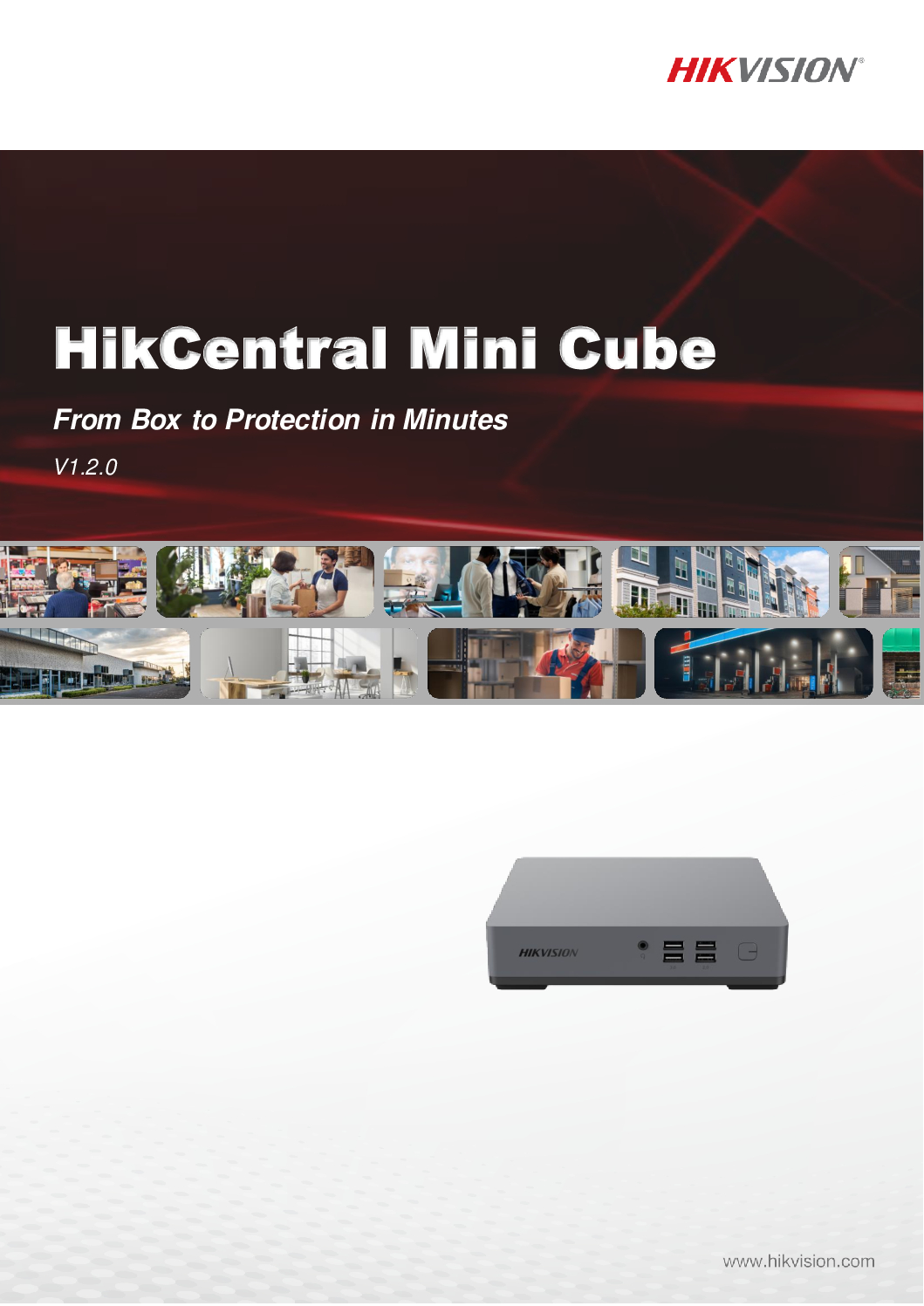
The HIKVISION HikCentral Mini Cube Server is a compact all-in-one security management server designed to centralise CCTV video surveillance, access control, ANPR/LPR, facial recognition, people counting, alarms and intelligent security applications through the HikCentral platform.
Instead of operating separate software for CCTV cameras, door access, vehicle number plate recognition and intelligent analytics, HikCentral provides a centralised security management platform for operators, security command centres and building management teams.
The Mini Cube concept is particularly attractive for small and medium-sized installations that want a dedicated security server without deploying a conventional large rack-mounted enterprise server.
Key Applications
- CCTV Video Management
- Live View & Playback
- Centralised Multi-Camera Monitoring
- Door Access Management
- Access Control Events
- ANPR / LPR
- Vehicle Plate Search
- Facial Recognition
- Human Body Recognition
- People Counting
- Alarm & Event Management
- Smart Search
- Security Dashboard
- Centralised User Management
- Map-Based Security Management
Hikvision’s HikCentral Professional platform supports core Video and Access Control applications, while intelligent video functions can include face and ANPR applications depending on the connected equipment and activated licensing. (Hikvision)
One Server – Centralised Security Management
A conventional security installation may contain several independent systems:
CCTV Software
Door Access Software
ANPR / LPR Software
Facial Recognition
People Counting
Alarm Monitoring
HikCentral provides a platform for bringing compatible security applications together under centralised management.
A typical architecture can be:
CCTV Cameras + NVR + Door Access + ANPR Cameras + Facial Recognition Cameras → Network → HikCentral Mini Cube Server → Security Operator
This gives the operator a unified security management environment rather than repeatedly switching between unrelated applications.
HIKVISION HikCentral Mini Cube Server Video Management Access Control ANPR LPR Facial Recognition People Counting SGCCTV
CCTV Video Management
HikCentral provides professional video surveillance management functions such as:
- Multi-Camera Live View
- Recorded Video Playback
- Event Search
- Alarm Monitoring
- Camera Management
- User Permissions
- Security Maps
- Intelligent Search
- Remote Security Operations
Hikvision describes its current HikCentral Professional video application as supporting customised video views and fast event location using thumbnails, tags and smart search. (Hikvision)
Door Access Control Management
HikCentral can also integrate compatible HIKVISION access control equipment.
Access control capabilities can include:
- Door Management
- Personnel Management
- Card Access
- Facial Authentication
- Fingerprint Authentication
- PIN Access
- QR Code Credentials
- Multi-Door Interlocking
- Anti-Passback
- Multi-Factor Authentication
- Access Events
- Video Verification
This allows CCTV and door access events to be managed within the same security platform. (Hikvision)
ANPR / LPR Vehicle Recognition
Compatible HIKVISION ANPR / LPR cameras can be integrated for vehicle security applications.
Depending on the licensed configuration, applications can include:
- Automatic Number Plate Recognition
- Vehicle Entry Monitoring
- Vehicle Exit Monitoring
- Number Plate Search
- Vehicle List Management
- Plate Matched / Mismatched Alarms
- Vehicle Event Investigation
- Entrance & Exit Management
Hikvision’s licensing documentation specifies dedicated ANPR functionality for camera management, vehicle lists, historical number-plate searches and plate-match alarms. (Hikvision)
Facial Recognition
With compatible HIKVISION intelligent cameras and the appropriate HikCentral resources, facial recognition applications can provide:
- Face Capture
- Facial Search
- Person Investigation
- Face Comparison
- Access Control by Face
- Security Event Verification
The HikCentral Mini Cube manual specifically provides resource configuration for Facial and Human Body Recognition cameras, confirming that these intelligent camera resources can be managed through the platform when properly licensed and configured. (Hikvision)
People Counting & Business Intelligence
Compatible intelligent cameras can provide useful operational data beyond conventional CCTV surveillance.
Applications can include:
- People Counting
- Customer Traffic Analysis
- Queue Analysis
- Heat Mapping
- Occupancy Analysis
- Business Intelligence Reports
Hikvision documents people counting, queue statistics and heat-map analytics within the HikCentral ecosystem. Some reporting capabilities require the appropriate Business Intelligence module/license. (Hikvision)
Important – HikCentral Licensing
HikCentral Mini Cube should not be described simply as “No License Required.”
Hikvision states that after installation, the client has a temporary license covering a specified number of devices and limited functions.
For proper long-term deployment and additional functionality, the server can be activated using purchased license codes.
Licensing can depend on:
- Number of CCTV Channels
- Access Control Resources
- ANPR Cameras
- Facial / Human Body Recognition
- Business Intelligence
- Other HikCentral Applications
The advantage is that the system can be expanded according to project requirements rather than necessarily purchasing every application at the beginning. (Hikvision)
Pre-Installed & Pre-Configured Solution
SGCCTV can supply the HikCentral Mini Cube as a prepared security management solution with services such as:
- HikCentral Software Installation
- Windows Configuration
- Network Configuration
- CCTV Device Integration
- NVR Integration
- Door Access Integration
- ANPR Configuration
- Facial Recognition Configuration
- User Account Configuration
- License Activation
- Security Hardening
- System Testing
- Operator Training
This reduces the amount of onsite commissioning work compared with starting from a completely blank server.
HIKVISION DS-D5B65RB/FP DS-D5B75RB/FP DS-D5B86RB/FP Interactive Display Singapore 4K Interactive Flat Panel Classroom Whiteboard
Why Use a Dedicated Mini Cube Server?
A dedicated HikCentral server provides several practical advantages:
- Centralised Security Management
- Compact Hardware
- Dedicated Security Platform
- Reduced Server-Room Space
- Lower Hardware Complexity
- Easier Deployment
- Easier Maintenance
- CCTV + Access Integration
- Expandable Licensing
- Suitable for SME & Enterprise Applications
Ideal Applications
The HIKVISION HikCentral Mini Cube Server is suitable for:
- Offices
- Factories
- Warehouses
- Condominiums
- Commercial Buildings
- Shopping Centres
- Schools
- Hospitals
- Hotels
- Car Parks
- Industrial Facilities
- Security Command Centres
- Building Management Offices
- Multi-Site CCTV Systems
- Enterprise Security Systems
HIKVISION DS-D5B65RB/FP DS-D5B75RB/FP DS-D5B86RB/FP Interactive Display Singapore 4K Interactive Flat Panel Classroom Whiteboard
SGCCTV – Choicecycle CCTV Pte Ltd provides complete HikCentral and integrated security solutions including:
- HikCentral Server Supply
- HikCentral Installation
- HikCentral License Activation
- CCTV Integration
- NVR Integration
- Door Access Integration
- ANPR / LPR Integration
- Facial Recognition Integration
- People Counting
- AI CCTV
- Network Configuration
- Server Rack Installation
- UPS Backup Power
- Cybersecurity Hardening
- Preventive Maintenance
- Remote Technical Support
- HikCentral Troubleshooting
Contact SGCCTV Singapore
Website: https://choicecycle.com.sg
Email: enquiry@choicecycle.com.sg
WhatsApp: +65 98534404
Frequently Asked Questions
1. What is the HIKVISION HikCentral Mini Cube Server?
HikCentral Mini Cube is a compact server solution designed to run the HikCentral security management platform for centralised management of compatible CCTV, access control and intelligent security applications.
2. Can HikCentral Mini Cube manage CCTV cameras?
Yes. HikCentral supports centralised CCTV management including live viewing, playback, events, alarms and video investigation.
3. Can it manage HIKVISION door access?
Yes. HikCentral supports compatible access control devices and functions such as personnel, doors, credentials, permissions, access events and video verification.
4. Does HikCentral support ANPR / LPR?
Yes. With compatible ANPR cameras and the appropriate licensing/configuration, HikCentral supports vehicle plate recognition, plate search, vehicle lists and related alarms.
5. Does it support facial recognition?
Yes. Compatible facial and human-body recognition cameras can be configured as intelligent resources in HikCentral, subject to the applicable licenses and system configuration.
6. Can it support people counting?
Yes. HikCentral supports people-counting applications with compatible intelligent cameras. Advanced Business Intelligence reporting may require an additional module/license.
7. Is HikCentral Mini Cube completely license-free?
No. Hikvision states that the software initially provides a temporary license for a specified number of devices and limited functions. Permanent and expanded functionality requires the appropriate license activation.
8. Can licenses be expanded later?
Yes. HikCentral uses modular licensing, so additional supported resources and applications can be activated according to project requirements.
9. Can SGCCTV pre-install and configure HikCentral?
Yes. SGCCTV can provide HikCentral server preparation, software configuration, network setup, device integration, license activation, testing and technical support.
10. Why choose SGCCTV for HikCentral Singapore?
SGCCTV provides integrated CCTV + HikCentral + Door Access + ANPR/LPR + Facial Recognition + Networking + Server + UPS solutions, allowing the complete security infrastructure to be designed, commissioned, troubleshot and maintained as one system.
#Hikvision #HikCentral #HikCentralProfessional #HikCentralMiniCube #VideoManagementSystem #VMS #AccessControl #ANPR #LPR #FacialRecognition #PeopleCounting #AICCTV #CCTVSingapore #SGCCTV #Choicecycle
For the product title, I recommend “HIKVISION HikCentral Mini Cube Server – Pre-Installed VMS | CCTV + Access Control + ANPR/LPR + Facial Recognition | License Expandable” rather than “No License.” Hikvision’s own Mini Cube documentation explicitly includes license activation and resource allocation. (Hikvision)
Hikvision HikCentral Professional official page
HIKVISION DS-D5B65RB/FP DS-D5B75RB/FP DS-D5B86RB/FP Interactive Display Singapore 4K Interactive Flat Panel Classroom Whiteboard
The HIKVISION DS-D5065UC-C is a professional 65-inch 4K UHD CCTV surveillance monitor engineered specifically for security monitoring, CCTV control rooms, command centres, guardhouses, security operation centres and other applications requiring reliable 24 hours × 7 days continuous operation.
Unlike an ordinary consumer television intended mainly for entertainment, the DS-D5065UC-C is designed for video security, high reliability and stability.
With a native 3840 × 2160 4K UHD resolution at 60Hz, 65-inch LED-backlit display, 350 cd/m² brightness, wide 178° horizontal and vertical viewing angles, narrow bezel and multiple video inputs, the DS-D5065UC-C provides a large professional display for viewing multiple CCTV cameras simultaneously.
Key Specifications
- Brand: HIKVISION
- Model: DS-D5065UC-C
- Type: Professional CCTV / Security Monitor
- Screen Size: 65 inches
- Resolution: 3840 × 2160 UHD 4K
- Refresh Rate: 60Hz
- Backlight: LED
- Brightness: 350 cd/m²
- Viewing Angle: 178° Horizontal / 178° Vertical
- Contrast Ratio: 1200:1
- Response Time: 8ms
- Color Depth: 8-bit
- Color Gamut: 72% NTSC
- Reliability: 7 × 24 Hours
- HDMI 2.0: 1 Port
- HDMI 1.4: 1 Port
- VGA: 1 Port
- Audio Input: 1 Port
- USB: 1 Port
- Built-In Speakers: 2 × 7W
- Power Supply: 100–240VAC, 50/60Hz
- Maximum Power Consumption: ≤190W
- Standby Consumption: ≤0.5W
- VESA Mount: 300 × 300mm
- Net Weight: Approximately 18.6kg without stand
HIKVISION DS-D5B65RB/FP DS-D5B75RB/FP DS-D5B86RB/FP Interactive Display Singapore 4K Interactive Flat Panel Classroom Whiteboard
One of the strongest advantages of the HIKVISION DS-D5065UC-C is its 7 × 24-hour reliability rating.
Security monitoring does not stop after office hours.
CCTV command centres may require live camera displays continuously:
24 Hours a Day × 7 Days a Week × 365 Days a Year
The DS-D5065UC-C is designed specifically for surveillance environments requiring high reliability and stability.
This makes it an excellent choice for:
- CCTV Control Rooms
- Security Command Centres
- Security Operations Centres
- Guardhouses
- Building Management Rooms
- Factory Security Rooms
- Data Centres
- Transport Facilities
- Industrial Facilities
- Enterprise Security Systems
65-Inch 4K UHD CCTV Display
The DS-D5065UC-C provides a native resolution of:
3840 × 2160 @ 60Hz
4K resolution provides four times the pixel count of Full HD 1080p.
For CCTV applications, the additional resolution is particularly valuable when displaying multiple high-resolution camera channels on one large screen.
For example, operators may display:
- 4-Camera View
- 9-Camera View
- 16-Camera View
- 25-Camera View
- 32-Camera View
- Alarm Pop-Up Windows
- Camera + Map Layouts
Actual multi-camera layouts depend on the connected NVR, decoder or video management system.
Wide 178° Viewing Angle
A security control room may have several operators viewing the same display from different positions.
The DS-D5065UC-C provides:
178° Horizontal Viewing Angle
178° Vertical Viewing Angle
This wide viewing angle helps maintain visibility when the monitor is viewed from the side rather than directly from the centre.
HDMI 2.0 for 4K CCTV
The monitor provides:
1 × HDMI 2.0
1 × HDMI 1.4
1 × VGA
This allows connection to compatible:
- HIKVISION NVR
- Enterprise NVR
- DVR
- CCTV Decoder
- Security Workstation
- PC
- Video Management Server
- Command Centre System
For full 4K display performance, the video source, output resolution and HDMI connection must also support the required 4K format.
Built-In Speakers
The DS-D5065UC-C includes 2 × 7W built-in speakers.
This is useful for CCTV applications involving compatible cameras with:
- Built-In Microphones
- Two-Way Audio
- Security Intercom
- Alarm Audio
- Recorded Audio Evidence
Audio availability depends on the complete camera, recorder and monitor configuration.
Security Command Center Application
A professional CCTV command centre can be configured as:
IP Cameras → PoE Switch → Network → NVR / CCTV Server → HDMI → HIKVISION DS-D5065UC-C
For larger enterprise systems:
Multiple CCTV Cameras → Fibre Network → Enterprise NVR / VMS Server → Decoder / Workstation → 65-Inch 4K Security Display
This provides operators with a centralised view of security cameras and alarms.
HIKVISION DS-D5B65RB/FP DS-D5B75RB/FP DS-D5B86RB/FP Interactive Display Singapore 4K Interactive Flat Panel Classroom Whiteboard
The HIKVISION DS-D5065UC-C is suitable for:
- CCTV Command Centres
- Security Control Rooms
- Guardhouses
- Commercial Buildings
- Factories
- Warehouses
- Hospitals
- Schools
- Universities
- Hotels
- Shopping Centres
- Car Parks
- Data Centres
- Transportation Facilities
- Government Facilities
- Industrial Plants
- Enterprise Security Operations
CCTV Monitor Repair & Replacement Singapore
A CCTV system may continue recording normally even when its monitor fails.
Common CCTV monitor problems include:
- Monitor No Power
- Black Screen
- No HDMI Signal
- Screen Flickering
- Display Lines
- Image Distortion
- HDMI Port Failure
- VGA Input Failure
- Backlight Failure
- Intermittent Display
- Monitor Automatically Shuts Down
- Incorrect Resolution
- NVR Display Not Showing
- Damaged Screen
- Ageing CCTV Monitor
Before replacing a monitor, technicians should determine whether the fault originates from:
Monitor → HDMI Cable → NVR HDMI Output → NVR → Power Supply
This avoids unnecessarily replacing equipment when the actual fault is elsewhere.
Replace Consumer TV with Professional CCTV Monitor
For continuous surveillance environments, a professional security monitor should be considered instead of selecting a display based only on screen size or consumer TV features.
The DS-D5065UC-C is specifically designed around:
- Video Security
- 24/7 Operation
- High Reliability
- Stable CCTV Display
- Wide Viewing Angles
- Multiple Video Inputs
- Large Multi-Camera Monitoring
This makes it particularly appropriate for permanent security monitoring installations.
HIKVISION DS-D5B65RB/FP DS-D5B75RB/FP DS-D5B86RB/FP Interactive Display Singapore 4K Interactive Flat Panel Classroom Whiteboard
SGCCTV – Choicecycle CCTV Pte Ltd provides integrated CCTV control-room and command-centre solutions including:
- HIKVISION CCTV Monitors
- 4K CCTV Displays
- CCTV Monitor Replacement
- Enterprise NVR
- RAID NVR
- CCTV Servers
- Video Management Systems
- AI CCTV Cameras
- PoE Network Switches
- Fibre Optic Networks
- Server Rack Installation
- UPS Backup Power
- CCTV Workstations
- CCTV Troubleshooting
- Preventive Maintenance
- Security System Repair & Replacement
Contact SGCCTV Choicecycle Singapore
Website: https://choicecycle.com.sg
Email: enquiry@choicecycle.com.sg
WhatsApp: +65 98534404
Frequently Asked Questions
1. What is the HIKVISION DS-D5065UC-C?
The DS-D5065UC-C is a professional 65-inch 4K surveillance monitor designed specifically for video security applications requiring high reliability and continuous operation.
2. Is DS-D5065UC-C a 4K monitor?
Yes. Its native resolution is 3840 × 2160 at 60Hz, providing 4K UHD display capability.
3. Can the DS-D5065UC-C operate 24/7?
Yes. Hikvision officially specifies its reliability as 7 × 24 hours, making it suitable for continuous CCTV monitoring.
4. Is it suitable for a CCTV command centre?
Yes. Its 65-inch screen, 4K resolution, wide viewing angle and 24/7 rating make it particularly suitable for CCTV command centres, control rooms and security operation centres.
5. What HDMI connections does it have?
The monitor provides 1 × HDMI 2.0 and 1 × HDMI 1.4, together with a VGA input.
6. Does the monitor have built-in speakers?
Yes. The DS-D5065UC-C includes two built-in 7W speakers.
7. What is the viewing angle?
It provides a wide 178° horizontal and 178° vertical viewing angle, useful when several security operators are viewing the same display.
8. Can it display a HIKVISION NVR?
Yes. A compatible HIKVISION NVR can be connected through HDMI. The available display resolution and multi-camera layout depend on the NVR and system configuration.
9. Can the monitor be wall mounted?
Yes. It supports a 300 × 300mm VESA mounting pattern. The wall structure and mounting bracket should be suitable for the monitor’s size and weight.
10. Does SGCCTV provide CCTV monitor repair and replacement?
Yes. SGCCTV Choicecycle Singapore provides CCTV monitor troubleshooting and replacement, NVR diagnostics, HDMI troubleshooting, command-centre upgrades, CCTV system installation, preventive maintenance and technical support.
#Hikvision #DSD5065UCC #65InchMonitor #4KMonitor #CCTVMonitor #24x7Monitor #SecurityMonitor #CommandCenter #ControlRoom #CCTVDisplay #CCTVRepair #SecuritySystem #CCTVSingapore #SGCCTV #Choicecycle
Hikvision’s official datasheet confirms the model is designed for video security and specifies 65-inch, 3840 × 2160 @ 60Hz, 350 cd/m², 178°/178° viewing, 7×24-hour operation, HDMI 2.0 + HDMI 1.4 and dual 7W speakers. (Hikvision)
HIKVISION DS-D5B65RB/FP DS-D5B75RB/FP DS-D5B86RB/FP Interactive Display Singapore 4K Interactive Flat Panel Classroom Whiteboard


Nunc lacus elit, faucibus ac laoreet sed, dapibus ac mi. Maecenas eu ante a elit tempus fermentum. Aliquam commodo tincidunt semper. Phasellus accumsan, justo ac mollis pharetra, ex dui pharetra nisl, a scelerisque ipsum nulla ac sem. Cras eu risus urna. Duis lorem sapien, congue eget nisl sit amet, rutrum faucibus elit.
Donec accumsan auctor iaculis. Sed suscipit arcu ligula, at egestas magna molestie a. Proin ac ex maximus, ultrices justo eget, sodales orci. Aliquam egestas libero ac turpis pharetra, in vehicula lacus scelerisque. Vestibulum ut sem laoreet, feugiat tellus at, hendrerit arcu.
Nunc lacus elit, faucibus ac laoreet sed, dapibus ac mi. Maecenas eu ante a elit tempus fermentum. Aliquam commodo tincidunt semper. Phasellus accumsan, justo ac mollis pharetra, ex dui pharetra nisl, a scelerisque ipsum nulla ac sem. Cras eu risus urna. Duis lorem sapien, congue eget nisl sit amet, rutrum faucibus elit.
Reviews
There are no reviews yet.